
Scheduling content expiry in Drupal with SM Entity Scheduler
How and why we built SM Entity Scheduler, a config-driven Drupal module that hides or deletes entities once a date field has passed, running on Symfony Messenger instead of hook_cron.
Disclaimer: Our Tech Blog is a showcase of the amazing talent and personal interests of our team. While the content is reviewed for accuracy, each article is a personal expression of their interests and reflects their unique style. Welcome to our playground!
Introduction
Content is like the food in your fridge: everything has an expiry date, whether it’s printed on the label or not. A webinar page after the webinar happened, a product that left the catalog, a promotion that ended last Tuesday. Sooner or later somebody has to take it off the shelf, and if that somebody is a human with a checklist, something will inevitably stay published for weeks after it should have disappeared.
Drupal has historically solved this with the Scheduler module: an editor opens a node, picks an unpublish date in a dedicated field, saves, done. This works great for editorial content. But it falls short in a scenario we kept hitting on our projects: the expiry date is not something an editor types in. It already lives on the entity, populated by an import from an external system, and the entity is not even a node, it’s a Commerce product variation.
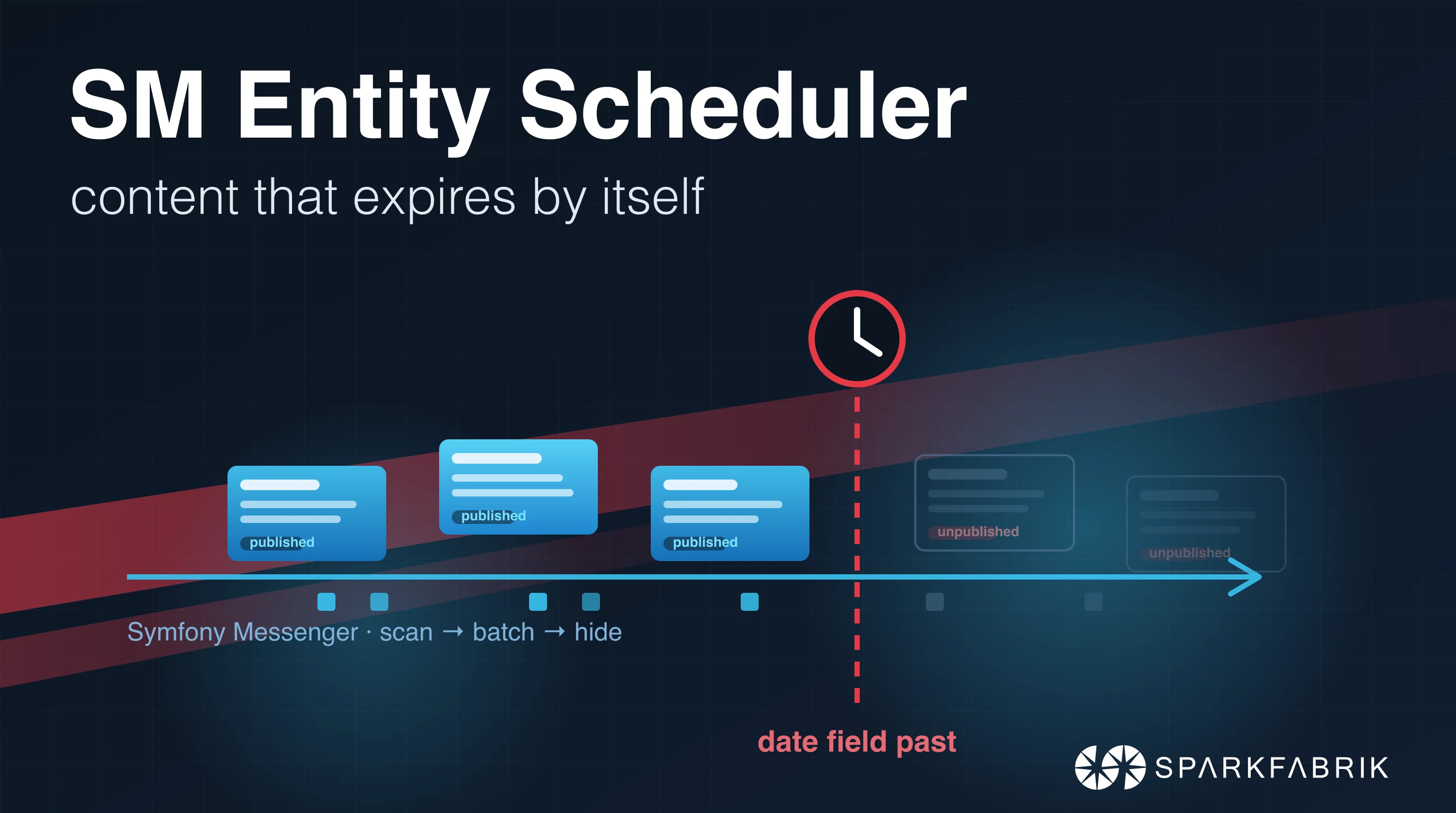
That’s why we built SM Entity Scheduler: a configuration-driven module that hides (or deletes) any content entity once a date field on it has passed, running on the Symfony Messenger Scheduler engine instead of hook_cron.
In this post we’ll go through why it exists, how it works under the hood, and how we run it in production on a real project.
Why another scheduler?
Fair question. The contrib space already has Scheduler and Scheduled Transitions, both mature and widely used. The difference is in what triggers the action:
- Scheduler is form-driven: it adds its own publish/unpublish date fields, and an editor has to fill them per node.
- Scheduled Transitions is built around content moderation: it schedules workflow state changes.
- SM Entity Scheduler is data-driven: it triggers off an existing arbitrary date field on any content entity type, re-evaluates it on every run, and never asks an editor to do anything.
The typical use case: your entities are synchronized nightly from an ERP or a PIM, and one of the imported fields is an “out of catalog” date. Nobody edits that date in Drupal; it just arrives. You want Drupal to react to it, on every entity, forever, without a human in the loop.
The second difference is the engine. Instead of piggybacking on hook_cron, the module runs on Symfony Messenger via the SM and SM Scheduler modules. Scans are recurring messages with a proper cron expression, and the actual work is dispatched in batches to an async transport. Big datasets don’t block cron, failures are isolated per entity, and you can scale consumers independently from the webserver.
How it works
The module is built around four pieces:
Schedule(config entity): declares what to act on. Target entity type and bundles, the date field holding the cutoff, an enforcement strategy, a cron expression and a batch size. Being config, it deploys with your site like any other config entity.EnforcementStrategy(plugin): declares how to hide. Three strategies ship with the module:status(toggles the core publish status),visibility_field(sets a dedicated boolean and hides via entity access) anddelete(self-explanatory, and irreversible). If none fit, you write your own plugin.ExpiryRule(service): the single shared answer to “is this date past?”. It’s exposed assm_entity_scheduler.expiry_ruleso other code, for example an import process plugin, can apply exactly the same semantics.- The runner: a schedule provider (using the
#[AsSchedule]attribute) plus two message handlers, sitting on Messenger and Scheduler transports.
The execution flow looks like this:
  sequenceDiagram
    participant Cron as Consumer
    participant Sch as ScheduleProvider
    participant Scan as ScanHandler
    participant Bus as Messenger transport
    participant Batch as BatchHandler
    participant E as Target entity
    Cron->>Sch: consume scheduler transport
    Sch->>Scan: ScanScheduleMessage (when cron is due)
    Scan->>Scan: query date_field in the past, chunk by batch_size
    Scan->>Bus: ProcessBatchMessage(ids) to async transport
    Cron->>Batch: consume async transport
    Batch->>E: isPast(date) && !isHidden, then strategy.hide()
- A consumer drains the recurring scheduler transport. When a schedule’s cron expression is due, the provider emits a
ScanScheduleMessage. - The scan handler queries the target entities whose date field is in the past and dispatches a
ProcessBatchMessageper chunk of IDs to the async transport. - The batch handler re-checks the expiry rule and the current state per entity, then calls the strategy’s
hide()method. Per-entity failures are logged and isolated: one broken entity doesn’t sink the whole batch.
One deliberate design choice: the runner is unpublish-only. It never re-publishes. If an editor manually publishes something the scheduler hid, the next scan will hide it again as long as the date is past, but the module never takes the responsibility of revealing content. That belongs to whatever owns the entity’s publish state.
The expiry rule
The semantics are strict and boring on purpose: a date is “past” only when the current date is strictly greater than the field value. With the default date granularity, the value’s own day is still visible and the day after is hidden. Empty and malformed values are never considered past, so a broken import can’t accidentally unpublish half your catalog.
If date granularity is too coarse, a schedule can switch to date-and-time comparison, and optionally apply an offset that is added to the value before comparing. We’ll see a real use for this in a moment.
Since the rule is a plain service, you can also reuse it outside the scheduler. A typical case is an import process plugin that wants to skip already-expired items instead of importing them and letting the scheduler hide them one run later:
use Drupal\sm_entity_scheduler\ExpiryRule;

public function __construct(
  private readonly ExpiryRule $expiryRule,
) {}

public function isExpired(?string $dateValue): bool {
  return $this->expiryRule->isPast($dateValue);
}
Same semantics everywhere, one place to change them.
Writing your own enforcement strategy
The three built-in strategies cover the common cases, but the mechanism is a plugin, so writing your own is a single class. Say you don’t want to touch the publish status at all: your theme should keep showing expired content, just flagged as archived. A custom strategy that toggles a field_archived boolean looks like this:
<?php

declare(strict_types=1);

namespace Drupal\my_module\Plugin\EnforcementStrategy;

use Drupal\Core\Entity\EntityInterface;
use Drupal\Core\Entity\FieldableEntityInterface;
use Drupal\Core\StringTranslation\TranslatableMarkup;
use Drupal\sm_entity_scheduler\Attribute\EnforcementStrategy;
use Drupal\sm_entity_scheduler\EnforcementStrategyInterface;

#[EnforcementStrategy(
  id: 'archive',
  label: new TranslatableMarkup('Archive (field_archived)'),
)]
final class ArchiveStrategy implements EnforcementStrategyInterface {

  private const FIELD = 'field_archived';

  public function isHidden(EntityInterface $entity): bool {
    return $entity instanceof FieldableEntityInterface
      && $entity->hasField(self::FIELD)
      && (bool) $entity->get(self::FIELD)->value === TRUE;
  }

  public function hide(EntityInterface $entity): void {
    $this->set($entity, TRUE);
  }

  public function reveal(EntityInterface $entity): void {
    $this->set($entity, FALSE);
  }

  private function set(EntityInterface $entity, bool $archived): void {
    if (!$entity instanceof FieldableEntityInterface || !$entity->hasField(self::FIELD)) {
      return;
    }
    if ((bool) $entity->get(self::FIELD)->value === $archived) {
      return;
    }
    $entity->set(self::FIELD, $archived);
    $entity->save();
  }
}
Drop it in src/Plugin/EnforcementStrategy/, clear the cache, and it shows up in the schedule form next to the built-in ones. The contract is small: isHidden() reports the current state, hide() and reveal() own their persistence, and all three must be idempotent, since the runner may re-check an entity that a previous batch already processed.
Setting it up
Installation is the usual:
composer require 'drupal/sm_entity_scheduler:^1.0'
drush pm:install sm_entity_scheduler
Note the requirements: Drupal 11.3+ (the module uses plugin constructor autowiring, a topic we covered in our service container series), plus the sm and sm_scheduler modules, and a running Messenger consumer.
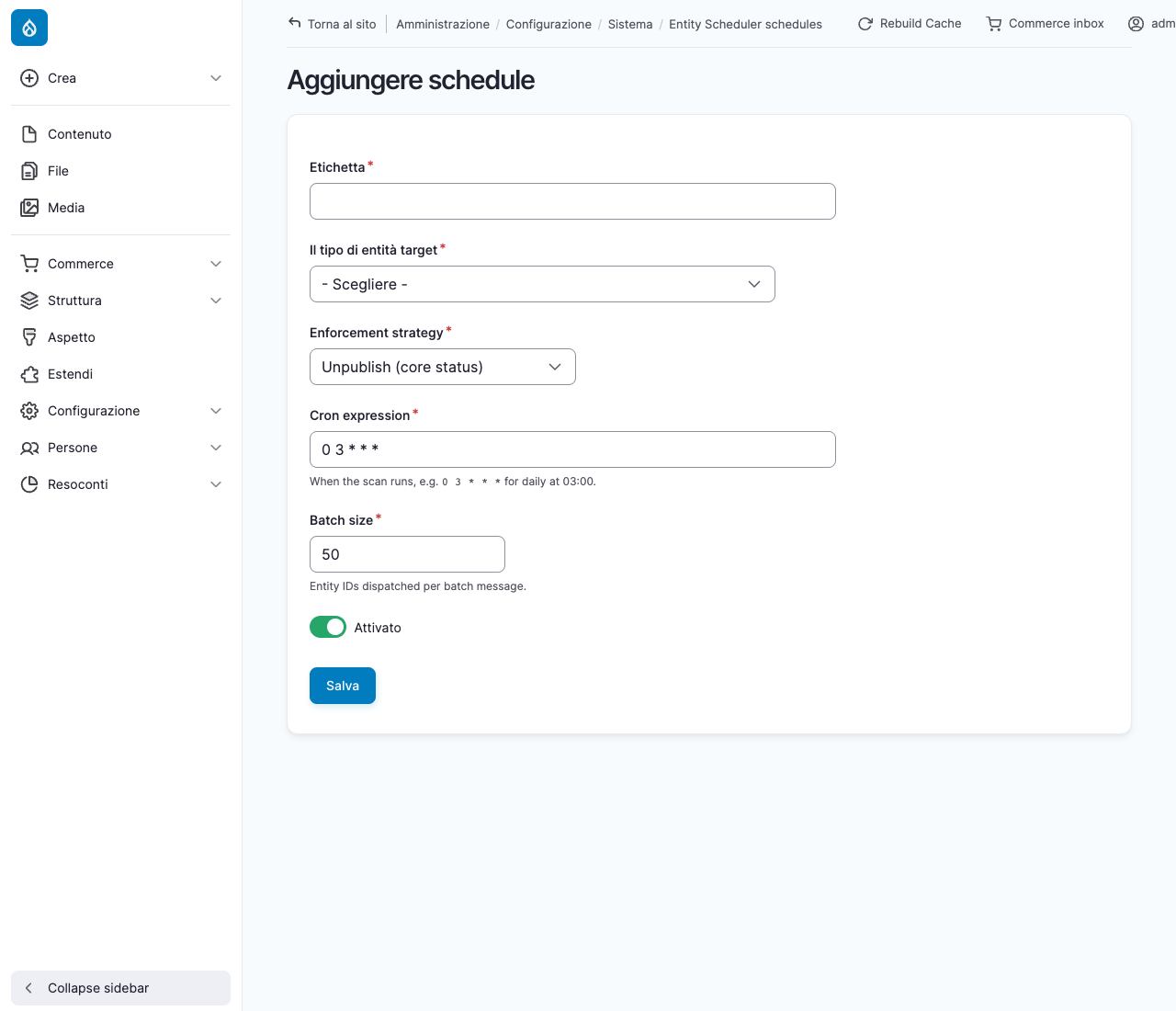
Schedules live under Configuration → System → Entity Scheduler (/admin/config/system/sm-entity-scheduler). Creating one is a short trip:
- Add schedule: label, target entity type, enforcement strategy, cron expression, batch size.
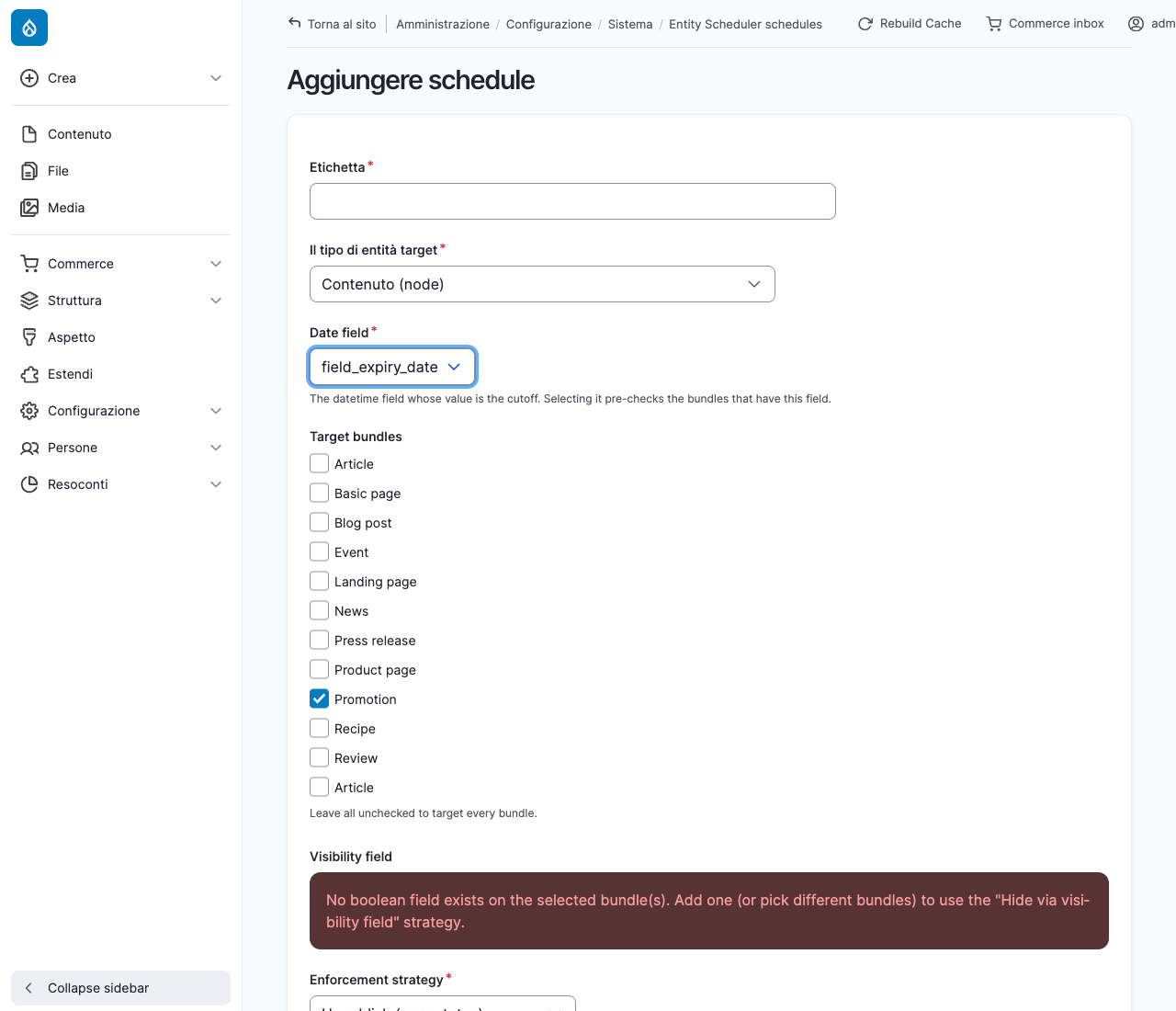
- Pick the date field: any
datetimefield on the target type. Selecting it automatically pre-checks the bundles that actually carry that field, so you can’t point a schedule at a bundle where the field doesn’t exist. If you pick thevisibility_fieldstrategy, the form also warns you when the selected bundles share no boolean field to use.
- Tune the expiry timing: date granularity or exact datetime, plus the optional offset.
- Optionally narrow the target set with conditions, which we’ll cover in the case study below.
The result is a plain config entity you can export, review and deploy:
id: out_of_catalog
label: "Out-of-catalog variations"
target_entity_type: commerce_product_variation
target_bundles:
  - catalog_item
date_field: field_out_of_catalog_date
semantics: unpublish_when_past
enforcement: status
cron_expression: "0 3 * * *"
batch_size: 50
date_granularity: date
A real-world case study
We run this module in production on an e-commerce platform for educational content: thousands of products and variations, all synchronized nightly from an external management system. Two schedules do the housekeeping.
Schedule 1: out-of-catalog product variations
Each product variation carries a date field, populated by the import, that says when the item leaves the catalog. The first schedule is the exact YAML you saw above: every night at 3:00 it scans the variations, and every variation whose out-of-catalog date has passed gets unpublished via the status strategy. Date granularity is enough here, because “leaves the catalog on June 30th” means the variation is still sellable on June 30th and gone on July 1st.
Note the target entity type: commerce_product_variation. This is exactly the case where form-driven schedulers can’t help, since variations have no editorial form where an editor would type an unpublish date, and the date is owned by the external system anyway.
Schedule 2: webinars that expire six hours after they end
The second schedule is more interesting. Among the products there are live webinars and video lessons. A webinar product should disappear from the catalog once the session is over, but not immediately: the team wants a six hour grace window after the end time. Here’s the schedule:
id: webinar_unpublish
label: "Webinar auto-unpublish"
target_entity_type: commerce_product
target_bundles:
  - course
date_field: field_course_end
semantics: unpublish_when_past
enforcement: status
cron_expression: "0 * * * *"
batch_size: 50
conditions:
  - field: field_course_type
    operator: "="
    value:
      type: entity
      entity_type: taxonomy_term
      bundle: course_type
      match_field: name
      match_value: "Webinars and video lessons"
date_granularity: datetime
expiry_offset: "+6 hours"
Three things worth unpacking:
date_granularity: datetimeandexpiry_offset: '+6 hours': the comparison happens at the exact moment, and the offset shifts the cutoff six hours after the course end. The scan runs hourly, so a webinar ending at 18:00 is unpublished shortly after midnight.- The condition: only products whose course type is “Webinars and video lessons” are targeted. Other courses on the same bundle keep their own lifecycle. Conditions are generic
{field, operator, value}triples, supporting the usual entity query operators. - The
valueis not a term ID. Taxonomy term IDs differ between environments, so hardcodingvalue: 42in exported config is a deployment accident waiting to happen. The module ships a portable entity resolver: you describe the reference (entity type, bundle, match field and value) and it’s resolved to the local ID at scan time. In the admin form you just type the shorthand@entity:taxonomy_term/course_type:name=Webinars and video lessons. And if the resolver matches nothing, the run is skipped: a schedule never silently widens to “everything”.
Running it in production
The scan and the batch work run on Symfony Messenger, so something has to drain two transports: the recurring scheduler transport and the async one. On a server this is a long-lived consumer:
drush messenger:consume scheduler_sm_entity_scheduler sm_entity_scheduler_async \
  --time-limit=300 --sleep=5
We deploy on Kubernetes, so in our case it’s a CronJob that fires every two minutes and runs the consumer with a five minute time limit. Frequent short-lived consumers instead of one eternal process: memory leaks don’t accumulate, and deployments don’t have to gracefully hand over a long-running pod.
messengerscheduler:
  schedule: "*/2 * * * *"
  args:
    [
      "sh",
      "-c",
      "bin/sm messenger:consume scheduler_sm_entity_scheduler sm_entity_scheduler_async --time-limit=300 --sleep=5 -vv",
    ]
  annotations:
    cluster-autoscaler.kubernetes.io/safe-to-evict: "false"
That last annotation has a story behind it. The Symfony Scheduler keeps a checkpoint lock to make sure only one consumer emits the recurring messages. At some point our cluster autoscaler decided to evict the consumer pod mid-run, and a SIGKILL is not the kind of goodbye that releases locks. The stranded lock silently froze the scheduler checkpoint: no errors, no crashes, just a scheduler that stopped scheduling. Fun to debug.
The annotation prevents the autoscaler from evicting the pod, and since version 1.0.1 the module also ships a cron liveness backstop (autoheal): if the scheduler trigger hasn’t fired within a configurable grace period (autoheal_grace, 15 minutes by default), the module detects the stall and recovers the stranded trigger on its own. Belt and suspenders: the annotation avoids the problem, the autoheal fixes it if it happens anyway.
For local testing or a manual sweep you can bypass the cron cadence entirely:
drush sm_entity_scheduler:run          # or smes:run; add a schedule ID to run just one
drush messenger:consume sm_entity_scheduler_async --time-limit=30 -vv
Conclusion
SM Entity Scheduler fills a specific gap: content whose lifecycle is dictated by data, not by editors. If your expiry dates come from an import, if your entities are not nodes, or if you simply want scheduling to be config you deploy instead of fields somebody has to fill, this is the tool. And running on Symfony Messenger means it inherits everything the ecosystem gives you for free: async batching, retries, isolation, and scaling knobs that hook_cron will never have.
The module is stable at 1.0.1, supports Drupal 11.3+, and we’re maintaining it actively (I’m bladedu on drupal.org). Issues and feature requests are welcome in the issue queue.
Useful resources
- Project page: https://www.drupal.org/project/sm_entity_scheduler
- SM (Symfony Messenger integration): https://www.drupal.org/project/sm
- SM Scheduler: https://www.drupal.org/project/sm_scheduler
- Symfony Messenger documentation: https://symfony.com/doc/current/messenger.html
- Symfony Scheduler documentation: https://symfony.com/doc/current/scheduler.html